Photo organizing applications can be expensive and very CPU intensive. It’s very difficult to upload and organize many photos on a netbook, for example, because the video capabilities of such a machine just can’t handle an app like Photoshop. Plus, the photo organizing software included in your PC by the manufacturer may not work well at all.
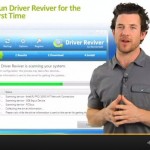
How to Update Drivers Easily with Driver Reviver
| By Steve Horton |
|
|
It’s important to keep your drivers as fresh as they can be, and that’s where Driver Reviver comes in. In this interactive video, find out how Driver Reviver works to keep your drivers updated.

What are App Paths in the Windows Registry?
| By Steve Horton |
|
|
We get a lot of questions about what Registry Reviver looks at when it runs a scan of your PC, and how Registry Reviver classifies when an error is present. Due to these questions, we’re writing a series of blog posts that describe all the areas of you computer that Registry Reviver scans, and why these areas are important to your computer’s health. These articles will generally be more technical in nature, but we encourage you to ask any questions in the comments section if you would like anything explained.
Smart Alternatives to MS Outlook for Emails
| By Steve Horton |
|
|
At work, it’s likely you use Microsoft Outlook to handle e-mail. If you’ve got an old machine, and there are a ton of old machines out there in the business world, Microsoft Outlook can eat up a ton of your computer’s processor! I had a job once where you couldn’t have Outlook open and something else at the same time, or the PC would slow to a crawl. There’s got to be another way, even for business users.
Web-based Alternatives to MS Office
| By Steve Horton |
|
|
Microsoft Office is highly useful in all walks of life, but it costs quite a bit of money. There’s a free, web-based alternative out there called Google Docs.
My PC Takes Too Long to Boot. How Can I Fix it?
| By Steve Horton |
|
|
Most PCs load far too many applications at startup, which slows down your PC tremendously. In this interactive video, learn how to remove those programs from startup, ensuring a fast boot and smooth Windows operation.
Connect with ReviverSoft on Facebook
| By Steve Horton |
|
|
Hey ReviverSofters!
We’d like to take a moment to spotlight our Facebook page.
How do I Pick the Right Laptop?
| By Steve Horton |
|
|
It’s important to understand the differences between a full-sized laptop and a smaller, less expensive netbook. What are the pluses and minuses of each type of machine?
How do I Protect my PC from Viruses and Other Threats?
| By Steve Horton |
|
|
It’s important to understand the differences between malware, trojan horses and viruses, and how to combat them.
Just How Fast is Thunderbolt on a Mac?
| By Steve Horton |
|
|
Thunderbolt is a brand-new interface between devices and PCs that’s much, much faster than anything else, including USB and FireWire.
Survey Results – How Many is Too Many Icons in the System Tray?
| By Steve Horton |
|
|
Last week, we ran a survey about the number of icons in your system tray. We received nine responses, and we’ve crunched the numbers a little bit.
The average number of icons in the system tray:
How do I Choose the Right CPU for my PC?
| By Steve Horton |
|
|
Inside your PC is the CPU, or central processing unit. The CPU is like the brains of your PC and controls everything your PC does. Find out how a CPU works and what cores mean.
Survey – How Many is Too Many Icons in the System Tray?
| By Steve Horton |
|
|
In today’s blog post we would like to get some contribution from you, the reader. We are conducting a survey, and in order for you to get involved, we would like you to leave a comment below in the comments section. We will be picking three random contributors who leave comments, and those people will receive a free license code to the ReviverSoft product of their choice!
How to Buy RAM for your PC
| By Steve Horton |
|
|
It’s important to know what RAM, or memory, is all about, and how to find out what type and how much RAM you’ve got in your PC. Here’s a guide for that.
What type of Hard Drive do I Need?
| By Steve Horton |
|
|
Mass storage encompasses hard drives (HDDs) and solid state drives (SSDs). This article breaks down the differences between them.
More blog posts:
browse by category
General
General informational posts
Infographics
Large, detailed graphical presentations
Information
Computer opinions, commentary and news
Maintenance
Keep your computer without upgrading
News
About ReviverSoft and our products
Novice
For beginning computer users
Optimizations
Make your computer work with fewer errors
PC Bottlenecks
Computer elements that slow it down
Registry Insights
How the Windows Registry works
Windows 10
Are you using Windows 10? View tips and tricks specifically for you.